
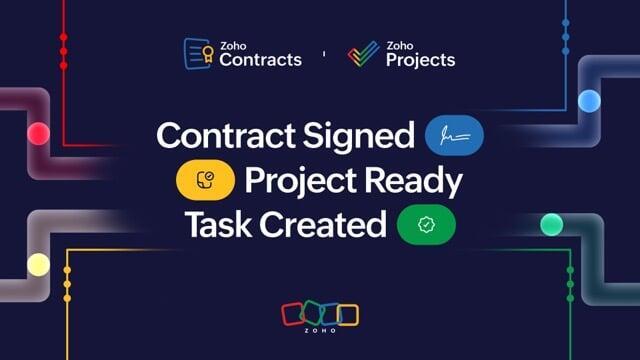
How Zoho Contracts and Projects Integration Automates Project Kickoff and Delivery

08.12.25 09:49 AM - By CreatorScripts

Automate Contract-to-Project Workflows with Zoho Contracts, Flow & Projects Skip to main content

From Signed Contract to Project Launch: Automate Your Workflow with Zoho Contracts, Flow, and Projects

Imagine this: a client signs a major contract, but your team spends hours manually entering details into project tools, chasing emails, and risking errors that delay delivery. This guide shows how legal commitments can instantly become actionable projects.

What You'll Gain from This Integration

  • Step-by-step setup for automatic project creation from signed contracts
  • Real-world benefits like faster time-to-delivery and improved cross-team transparency
  • Tips for extending automations to CRM, e-signatures, and other Zoho apps
  • Strategies to scale business processes without code

The Hidden Gap: Why Manual Contract-to-Project Handoffs Hurt Your Business

Contract signing is a milestone for sales and legal, but operations still need to convert contract details into execution-ready work. Manual recreation of contract data leads to duplicates, miscommunication, and delays that cost time and revenue.

According to Zoho automation insights, manual entry can consume 2–3 hours per contract. For teams handling dozens of contracts yearly, this quickly becomes hundreds of hours lost to administrative overhead.

Fact: Zoho Contracts (accessible via Zoho CRM) exposes contract status fields such as "Active" that can trigger downstream automations via Zoho Flow.

Unlocking Efficiency: The Power of Zoho Contracts and Projects Integration

Each signed contract contains client data, deliverables, and timelines. Treat those items as structured data to feed project systems. Using Zoho Flow, you can trigger actions in Zoho Projects the moment a contract activates, auto-populating projects with real contract details for immediate kickoff.

Verified capability: Zoho Flow supports triggers on CRM record updates (including Contracts) and can create or update projects and tasks in Zoho Projects using pre-built connectors and field mapping.

Get started resources:

How the Automation Works: Key Workflows Explained

Zoho Flow acts as the connector between modules. Setup is done via drag-and-drop flows and mappers—no developer resources required for most scenarios.

Workflow 1: Auto-Create Projects on Contract Activation

  1. Trigger: New or updated record in Zoho CRM (Contracts module) where status = Active.
  2. Actions: Map contract fields (client name, deliverables, dates) to a Zoho Projects template; auto-assign owners and milestones.
  3. Output: A ready-to-go project populated from contract data—no manual entry required.

Flow's mapper supports custom fields and templated project creation. For advanced mapping or conditional logic, Deluge scripting is optional.

Need expert help? Creator Scripts — Zoho Flow services offers customization and consulting.

Workflow 2: Turn Contract Obligations into Trackable Tasks

  1. Trigger: Obligation added or updated in Zoho Contracts.
  2. Actions: Parse obligation text using Flow formatters, create tasks with due dates, assignees, and dependencies.
  3. Sync: Optionally enable bidirectional updates so task completion can notify Contracts.

Contracts can include clauses and custom obligation fields that Flow can convert into actionable tasks, ensuring nothing slips through the cracks.

For e-signature workflows, chain with Zoho Sign to trigger flows when a signature is complete.

The Real Business Impact: Faster, Smarter Operations

Achieve Cross-Functional Transparency

Automations remove silos: legal can see project progress, operations track obligations, and finance uses unified records. Zoho One single sign-on helps maintain secure, real-time access across applications.

Cut Manual Overhead and Speed Up Delivery

Projects launch in minutes instead of days, compressing sales-to-execution timelines. Many organizations recover 100+ hours yearly for mid-sized teams by automating contract handoffs.

Extend Across the Zoho Ecosystem

Automations can be extended to create contracts from CRM deals, e-sign via Zoho Sign, and notify teams in Zoho Cliq. Zoho Flow also connects third-party platforms when needed.

Implementing the Integration: Your Step-by-Step Guide

  1. Connect apps: In Zoho Flow, authorize Zoho CRM (Contracts) and Zoho Projects.
  2. Build flow: Choose CRM trigger > map fields > add Projects action (create project/task).
  3. Test & deploy: Run a sample contract and monitor Flow's run history and logs.
  4. Customize: Add conditions (for example, contract value > $10,000) and error handling in Flow's logic builder.

If you need help, contact Creator Scripts for a consultation or implementation assistance.

Key Takeaways

  • Bridge legal and operations with Zoho Flow's no-code automations to launch projects instantly from signed contracts.
  • Extract contract metadata to populate tasks and milestones, improving accountability and speed.
  • Scale across the Zoho ecosystem for end-to-end workflows that reduce manual effort and risk.
  • Start small, measure ROI, and expand automations as contract volume grows.

Next Steps: Get Started Today

Sign up for Zoho Flow and test a free flow, or use Zoho CRM as the starting point for contract-driven automations.

For tailored setups, training, or migration support, visit Creator Scripts — Zoho Services or the Creator Scripts support hub.

References

Frequently Asked Questions

What triggers can I use in Zoho Flow to start a contract-to-project automation?

Use Zoho CRM triggers such as "New Record" or "Updated Record" for the Contracts module (for example, when status changes to "Active"). You can also trigger flows from Zoho Sign (signature completed), webhooks, or scheduled flows for batch processing. Flow supports conditional triggers so you can scope runs (e.g., contract value > $10,000).

How do I map contract fields into a Zoho Projects project or task?

In Zoho Flow's mapper, select the contract fields (client name, start/end dates, custom obligation fields) and drag them to the corresponding Projects fields. Use Projects templates to pre-populate milestones, task lists, and roles, then override with mapped values. For complex transformations, use Flow formatters or Deluge scripts to parse and reshape data before mapping.

Can I convert contract obligations into multiple actionable tasks automatically?

Yes — Flow can parse obligation text or use structured obligation fields and iterate to create multiple tasks with due dates, assignees, and dependencies. Use formatters or custom parsing logic to split obligation lists, and consider storing obligation metadata in custom fields for reliable mapping.

Do I need Deluge or a developer to build these automations?

Most contract-to-project automations can be built with Zoho Flow's no-code builders and mappers. Deluge or API-based customizations are optional for advanced scenarios (complex parsing, heavy conditional logic, or multi-record transactions). If you prefer hands-off implementation, partners like Creator Scripts can help design and deploy flows.

How do I handle errors or failures in a flow that creates projects or tasks?

Enable Flow's run history and logs to review failure details. Add conditional checks and try/catch style logic with decision blocks, set up alerts (email/CLIQ) for failed runs, and design compensating actions (retry, create a task for manual review). Also test flows thoroughly in a sandbox or with sample records before enabling production runs.

Can project updates sync back to Contracts (bidirectional updates)?

Yes — you can build reverse flows so task or project status changes update contract obligation fields, status, or custom fields in CRM. Ensure you design idempotent logic (checks to avoid update loops) and use tags or flags to indicate source-of-truth for each field to prevent conflicts.

What permissions and scopes are required to connect Zoho CRM, Flow, and Projects?

Authorize Zoho Flow with accounts that have sufficient access to the Contracts module in CRM and to create projects/tasks in Zoho Projects. Use service accounts or admin-level connections for reliable automation, and follow least-privilege principles by scoping API roles where possible. If using Zoho One SSO, ensure App authorization and user provisioning are configured accordingly.

Are there Flow limits or task consumption concerns I should know about?

Yes — Zoho Flow and other Zoho apps have plan-based limits (flow runs, API calls, and task consumption). Check your Flow subscription for run quotas and review the Flow task consumption guide to estimate usage, especially if processing many obligations or high contract volume. Design flows to batch operations where possible to conserve runs.

How should I test and deploy a contract-to-project flow safely?

Start in a sandbox or with a test CRM/Projects account, create sample contracts, and run through Flow's run history to validate mappings and outputs. Add logging steps, send notifications to a test channel, and perform end-to-end checks (project created, tasks assigned, notifications sent). Once validated, deploy with monitoring and a rollback plan.

Can I include e-signature steps (Zoho Sign) in the same automation?

Yes — chain Zoho Sign triggers so the flow fires only after signatures are complete. Typical pattern: CRM Deal > Generate contract > Send with Zoho Sign > On signature completion, Flow triggers to create Projects and tasks. This ensures projects only launch once the agreement is fully executed.

How do I handle custom contract fields and different contract templates?

Expose essential custom fields on the Contracts module (obligations, delivery timelines, SLAs) and map them explicitly in Flow. Use conditional logic to branch flows based on template type, and maintain a small set of Projects templates that cover common contract variants to simplify mapping and reduce mistakes.

What security and compliance considerations should I follow?

Use Zoho's built-in access controls, audit logs, and SSO options. Limit Flow authorizations to appropriate service accounts, encrypt sensitive fields where supported, and document dataflows for compliance teams. If you process regulated data, validate retention, access and data residency requirements with Zoho support or your legal/compliance team.

Can Flow connect to third-party tools as part of the contract-to-project process?

Yes — Zoho Flow supports hundreds of third-party connectors and webhooks. You can notify Slack/CLIQ teams, push records to external PM tools, call external APIs for billing provisioning, or write to an integration database as part of your automation. Use connectors judiciously to avoid extra complexity and run consumption.

What measurable benefits can I expect from automating contract-to-project handoffs?

Typical gains include reduced handoff time (projects launching in minutes vs. days), elimination of manual entry errors, improved cross-team transparency, and reclaiming hours per contract — many mid-sized teams recover 100+ hours annually. Faster starts often translate into quicker revenue recognition and higher client satisfaction.

Where can I get help if I need a custom implementation or ongoing support?

If you need design, Deluge scripting, or full implementation, consult a Zoho partner like Creator Scripts for planning and execution. They provide services for Flow configuration, Projects template setup, testing, and training, and can advise on licensing and run optimization.

CreatorScripts