
Zoho Writer document workflows now let you build your own review and approval stages, start them on a schedule, run reviews in parallel or in order, and bring in people outside your company. Teams that route contracts, policies or proposals for sign-off get a process that matches how they actually approve documents.
Build the approval path your team already follows
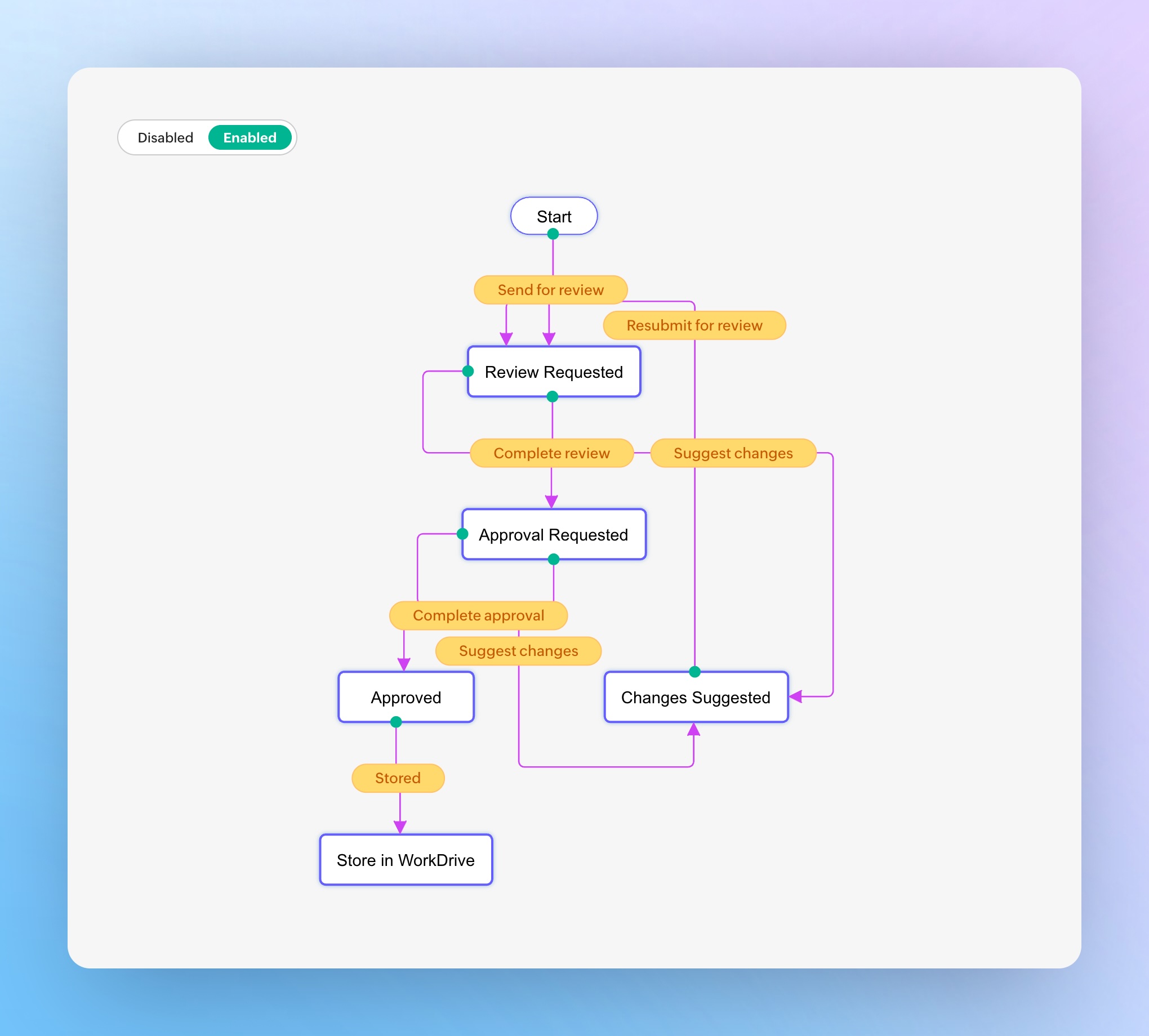
Writer now lets you create a custom workflow from scratch, name each stage and set what counts as done for that stage.
For example, a sales contract can move through four stages:
- Salesperson Review
- Sales Manager Approval
- Legal Approval
- Customer Approval
Attach workflows to files, folders or a start time
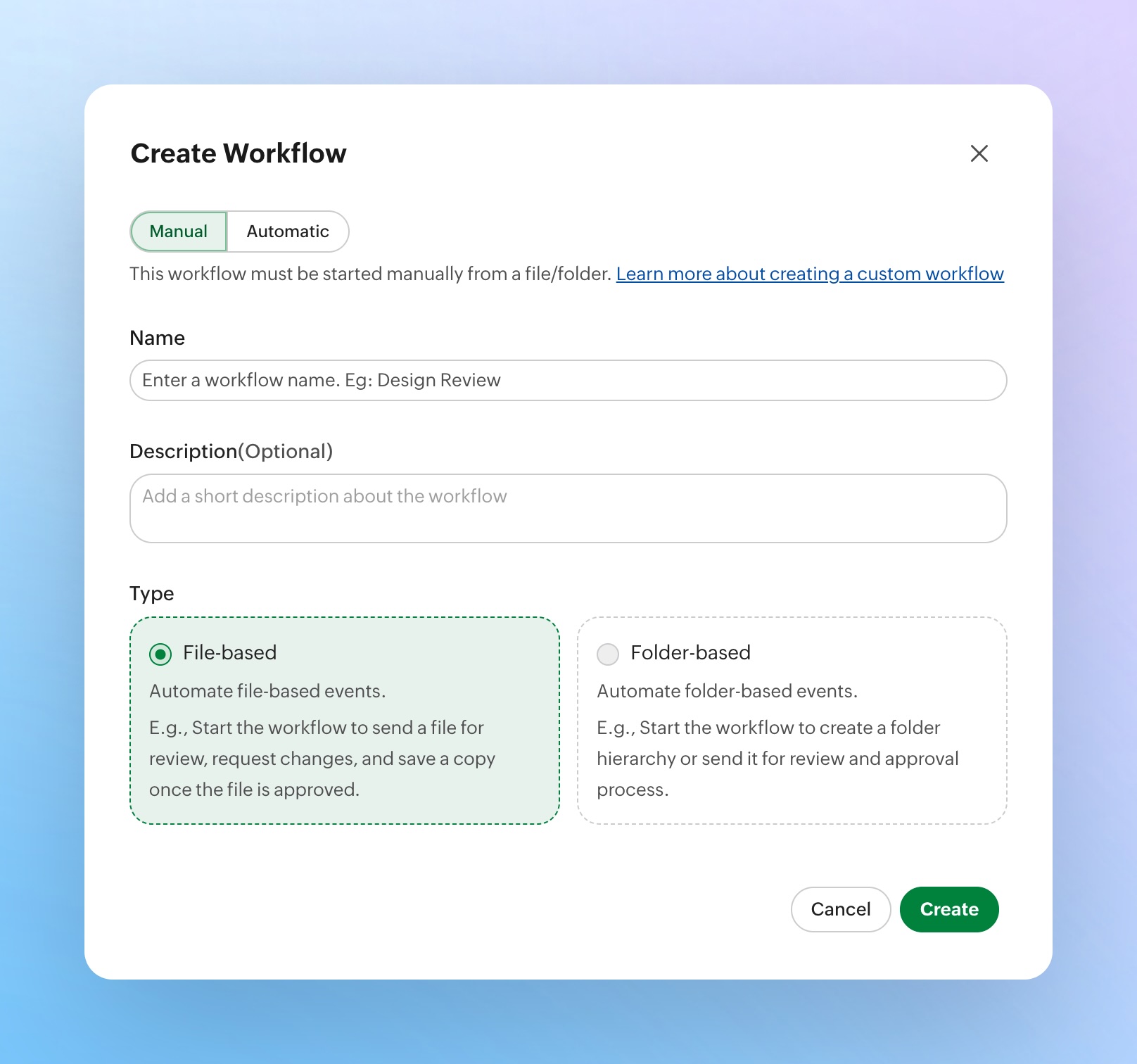
You can apply a workflow to a single document or to a folder. When it sits on a folder, every document added to that folder enters the workflow automatically, so nobody has to remember to start it.
Workflows can also start on their own at a date and time you set.
Choose parallel or sequential reviews
A document can go to all reviewers at the same time, or to reviewers one after another in the order you set.
| Mode | How it runs | Good fit |
|---|---|---|
| Parallel | Every reviewer gets the document at once | Independent checks that don't depend on each other |
| Sequential | Each reviewer gets it after the previous one finishes | Chains where a later approver needs the earlier sign-off |
Set completion criteria for each stage
Every stage has its own rule. It can require approval from all reviewers in the stage, or move forward as soon as any one reviewer approves. Use "all" where every signature matters and "any" where one qualified approver is enough to keep work moving.
Bring in customers, vendors and partners
You can add external reviewers and approvers by email address. They take part in the workflow without needing a Zoho account, which keeps the customer approval step inside the same process as your internal reviews.
For setup steps, see Zoho's document workflows user guide.
Questions
Can I create my own approval stages in Zoho Writer?
Yes. Writer document workflows let you build a workflow from scratch with your own stages and completion criteria for each stage.
Can a workflow start automatically in Zoho Writer?
Yes. A workflow on a folder starts for every document added to that folder, and a workflow can also start at a date and time you schedule.
What is the difference between parallel and sequential review?
Parallel review sends the document to all reviewers at once. Sequential review sends it to one reviewer after another in a set order.
Do external approvers need a Zoho account?
No. You add customers, vendors or partners by email address, and they can take part in the workflow without a Zoho account.
Can a stage move forward after one approval?
Yes. Each stage can require all reviewers to approve or advance as soon as any one reviewer approves.
Based on Build Custom Approval Workflows in Zoho Writer on the Zoho Blog.